
Clash for macOS
Install the native Apple version from the Clash macOS website or the App Store.
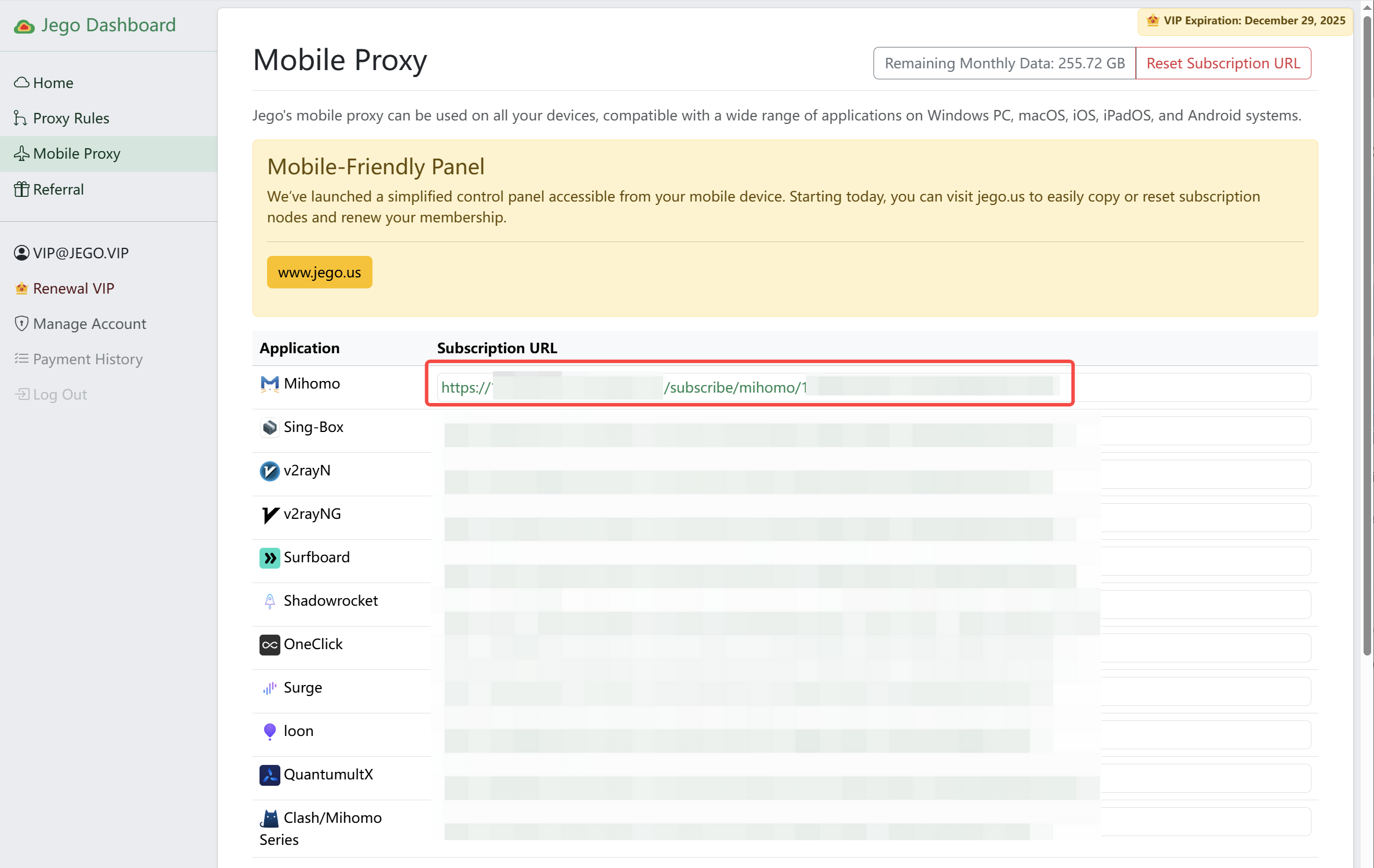
Copy the Mihomo subscription
- Sign in to the Jego Dashboard.
- Open Mobile Proxy.
- Find the Mihomo subscription and select Copy.
Add the Profile and start
Follow screenshots 1–3 to add and select the Profile. Allow the VPN configuration when macOS asks on the first start.
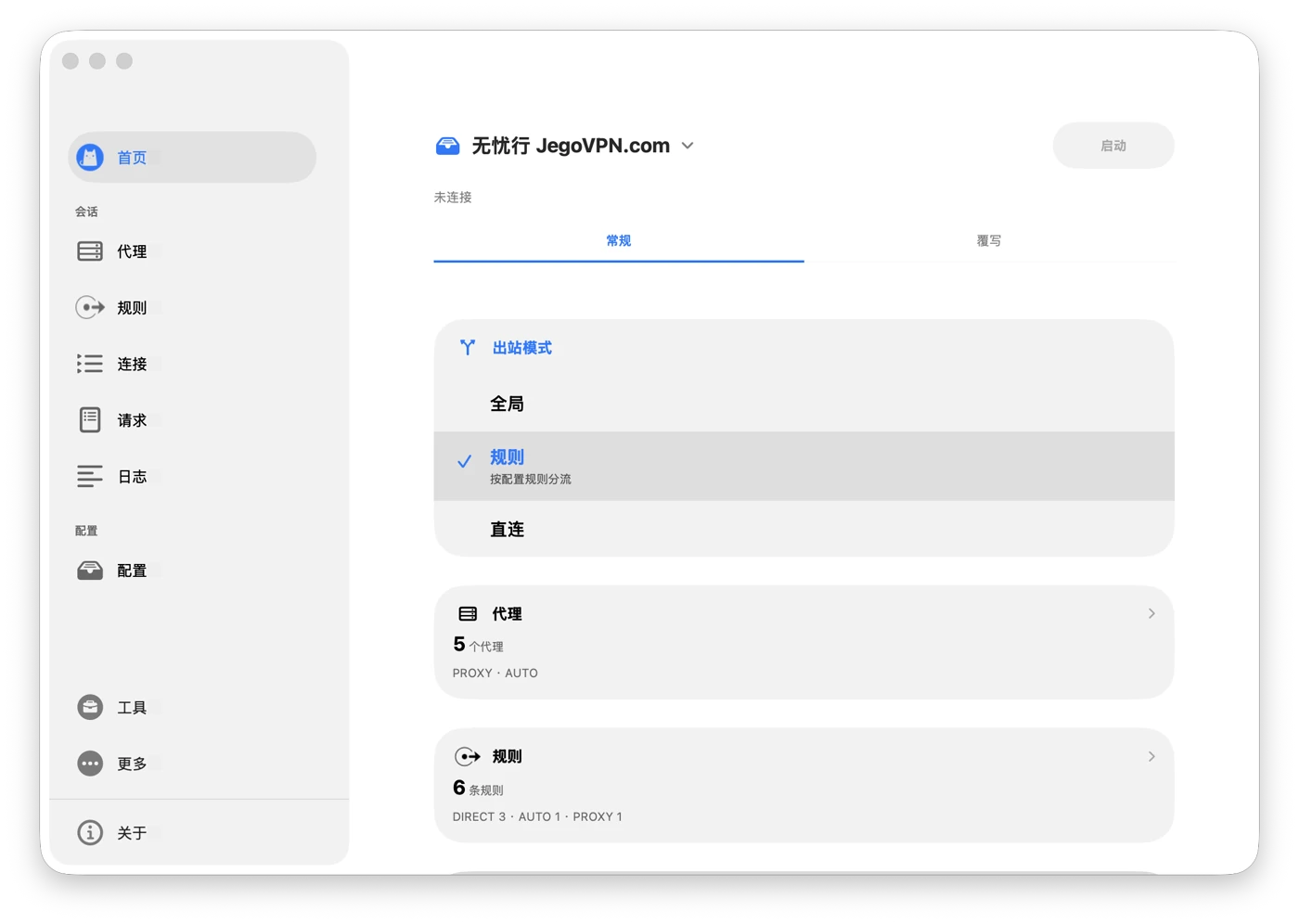
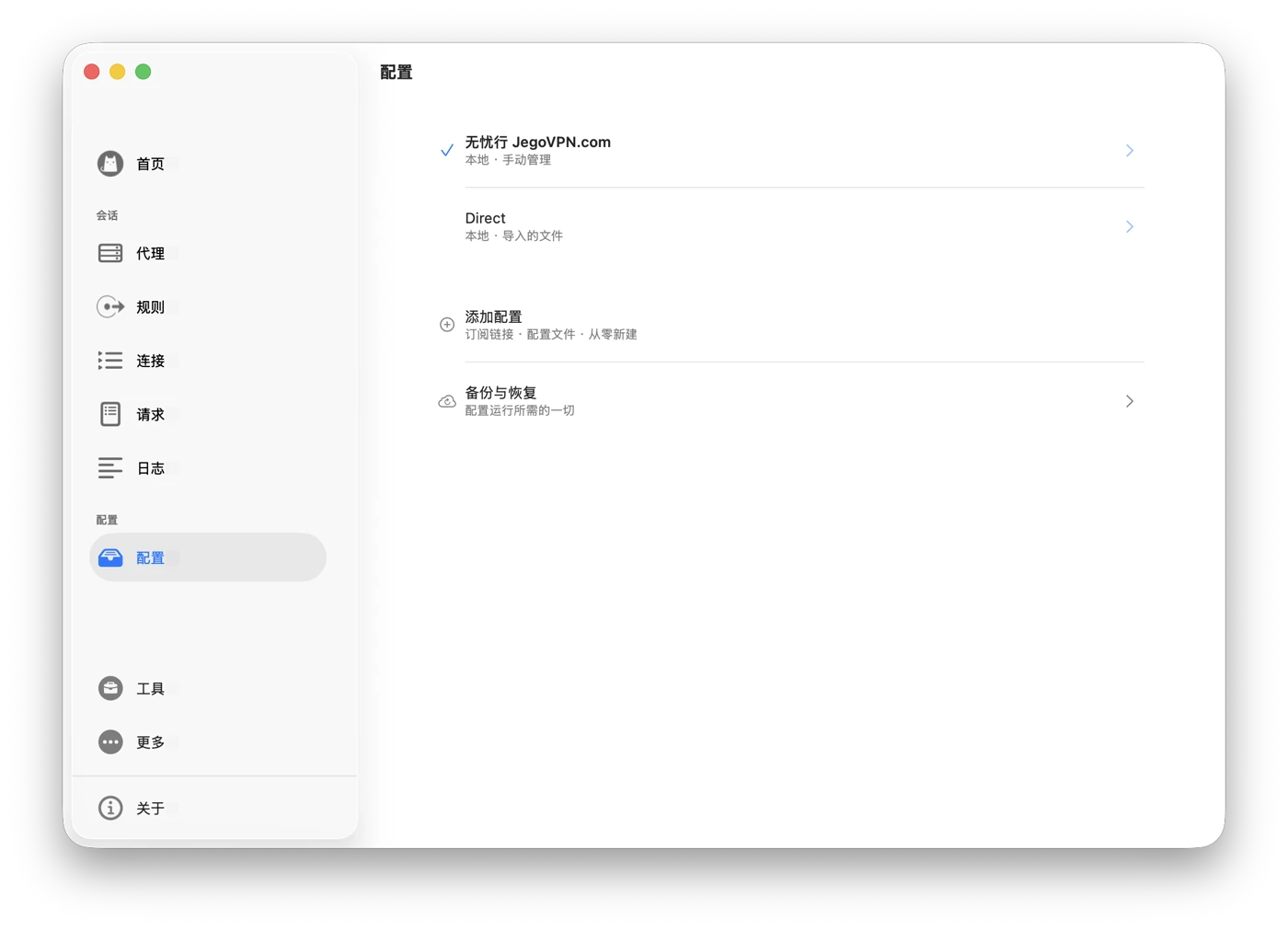
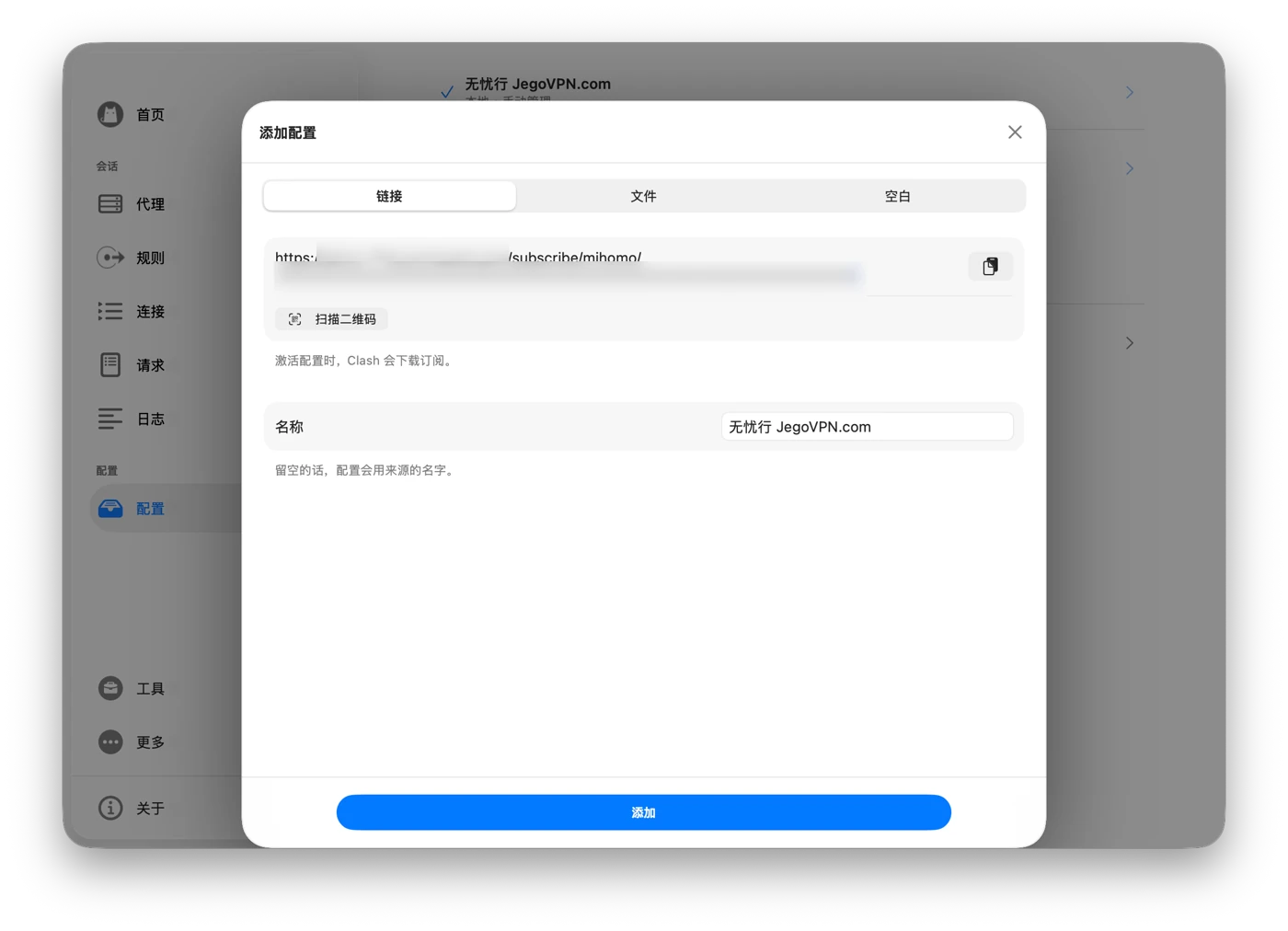
Return Home, confirm 无忧行 JegoVPN.com at the top and Rule under Outbound Mode, then start.
Nodes and updates
Open Proxies from the sidebar, choose a policy group, and select a node. The menu bar can start, stop, or switch Rule / Global / Direct; node selection remains in the main window.
To update the subscription, right-click 无忧行 JegoVPN.com in Profiles and select Sync, or open its details and use Sync Now.
See the official Clash macOS guide for more interface details.
For another Apple device, return to Clash for Apple Platforms and choose iOS or tvOS.