
Surge
Surge is an Apple-platform network tool; verify current features, platforms, price, and version from official sources.
 Get Surge
Use an account you legitimately own and the official store; do not buy or share accounts. For Apple's official region requirements, see the US Apple ID Registration Guide; without a qualifying account, use another supported client available in your region, or the browser extension.
Download Surge
If the official Surge App Store page is available for your legitimate account region, purchase or install it there.
Surge's network proxy function requires Pro authorization unlock, which can be purchased through AppStore in-app purchase or visit its official website for purchase.
Add Subscription
In the Jego Dashboard, click on Mobile Proxy in the left navigation bar, find the Surge subscription address and click Copy.
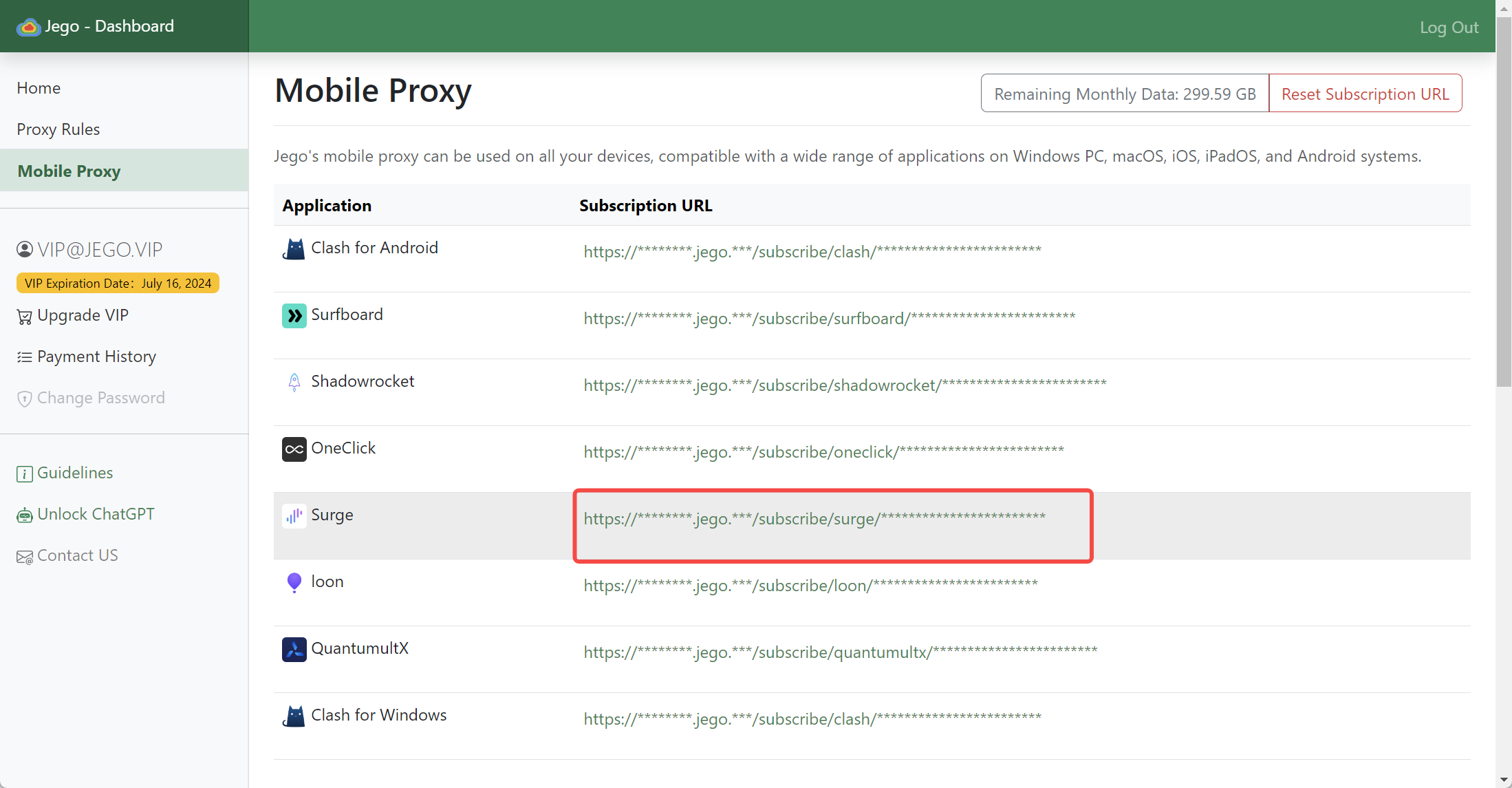
You can also get the subscription URL on your phone: open https://jego.us in the phone browser and sign in to copy it.
Open the Surge software, click the dropdown menu in the upper left corner.
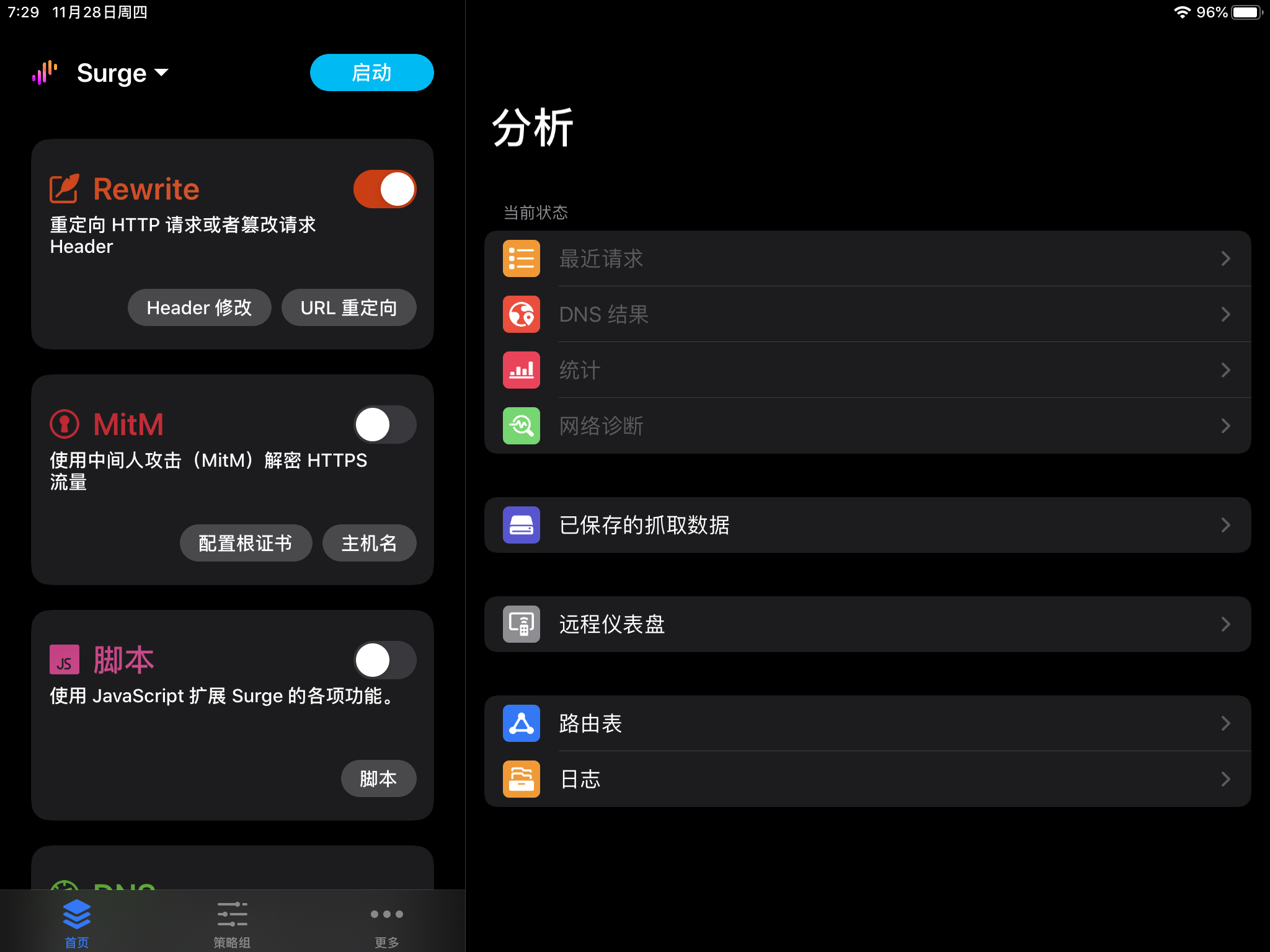
Select "Download Configuration from URL" in the popup window.
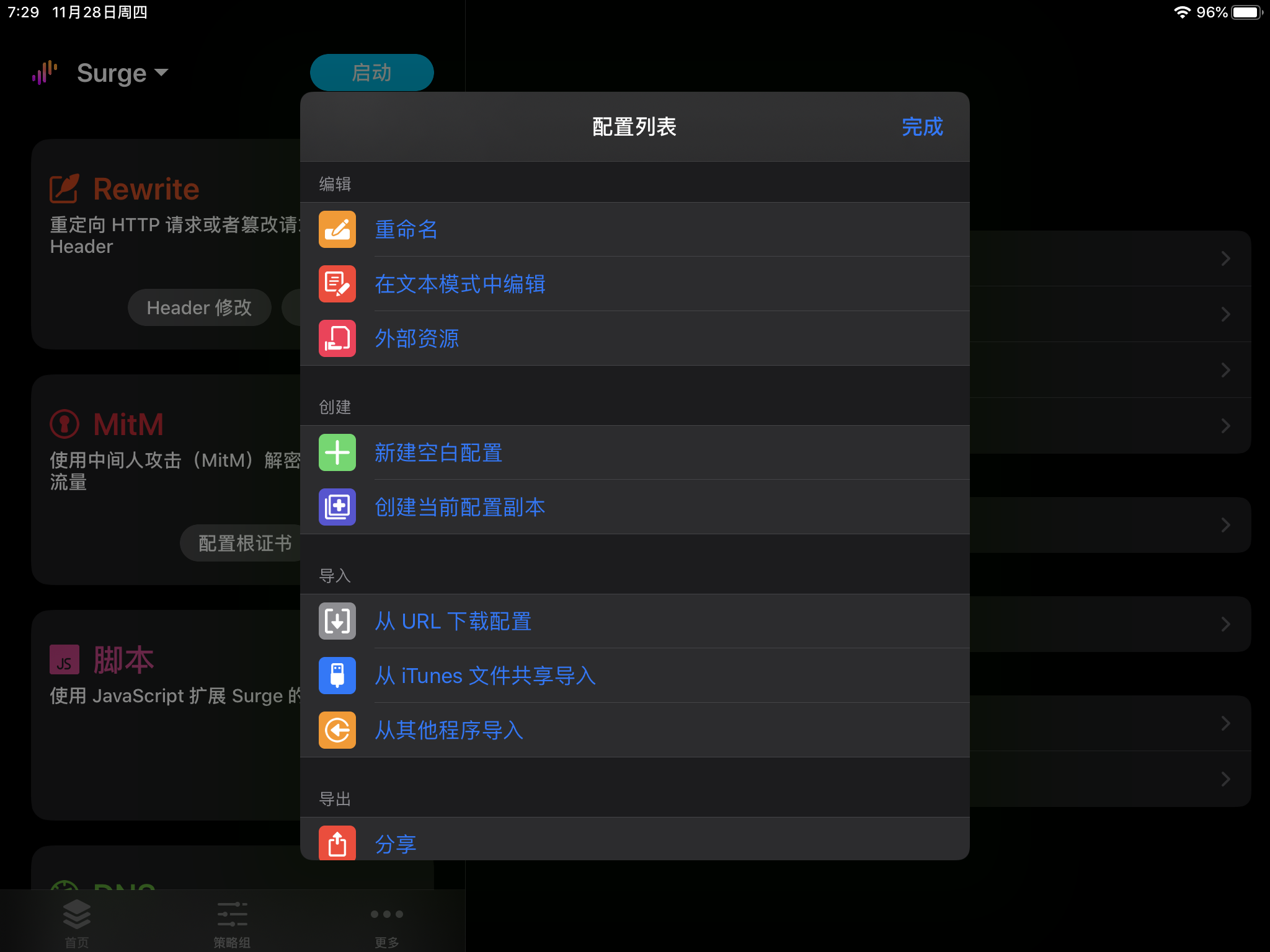
Paste the copied subscription / hosting link into the text box.
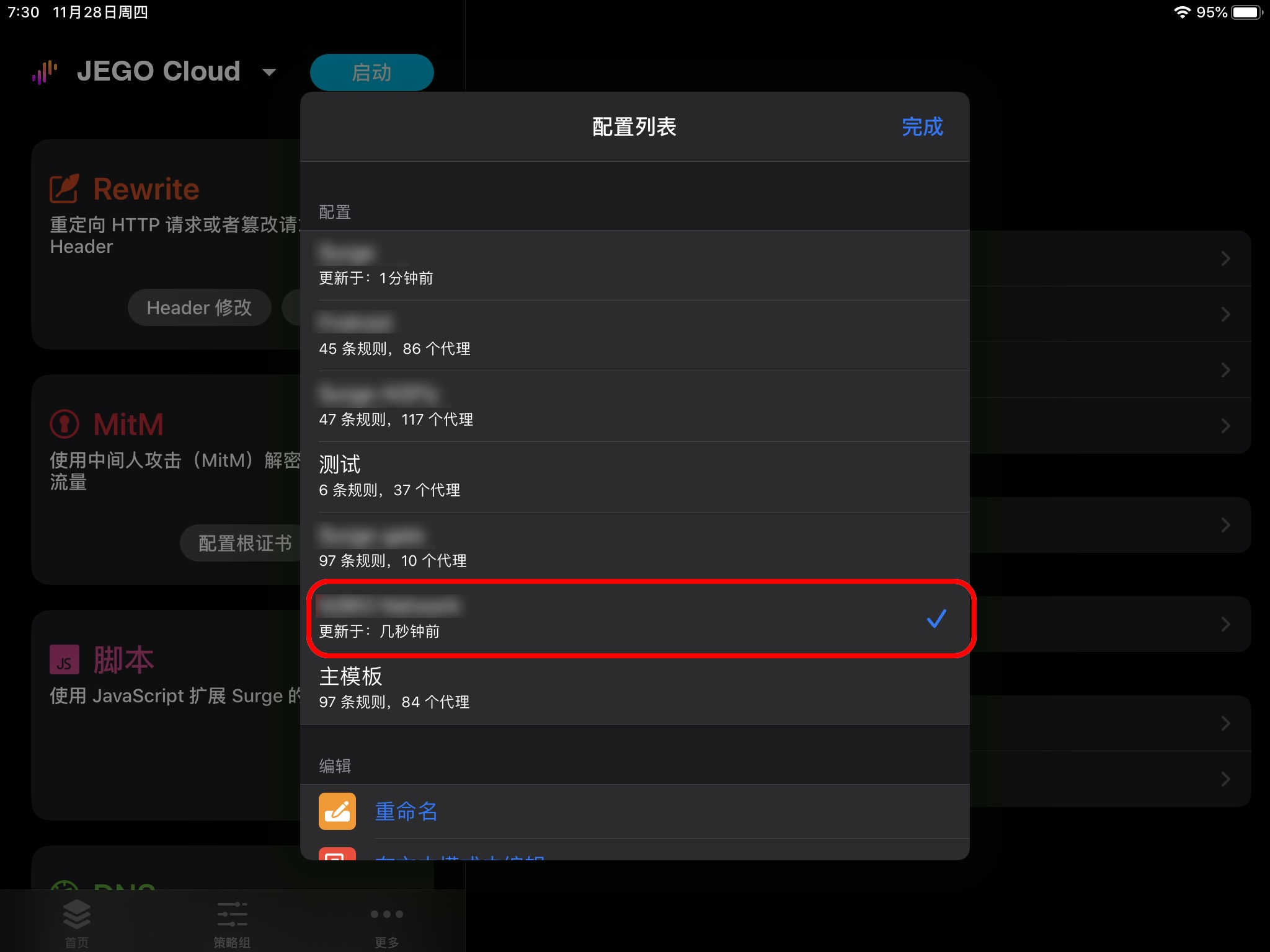
Wait a few seconds, and you can see the configuration file just downloaded. (The image here is for demonstration only, please refer to the actual situation)
Return to the software homepage, click Start in the upper left corner. When first started, it will prompt whether to create a VPN tunnel, please click Allow.
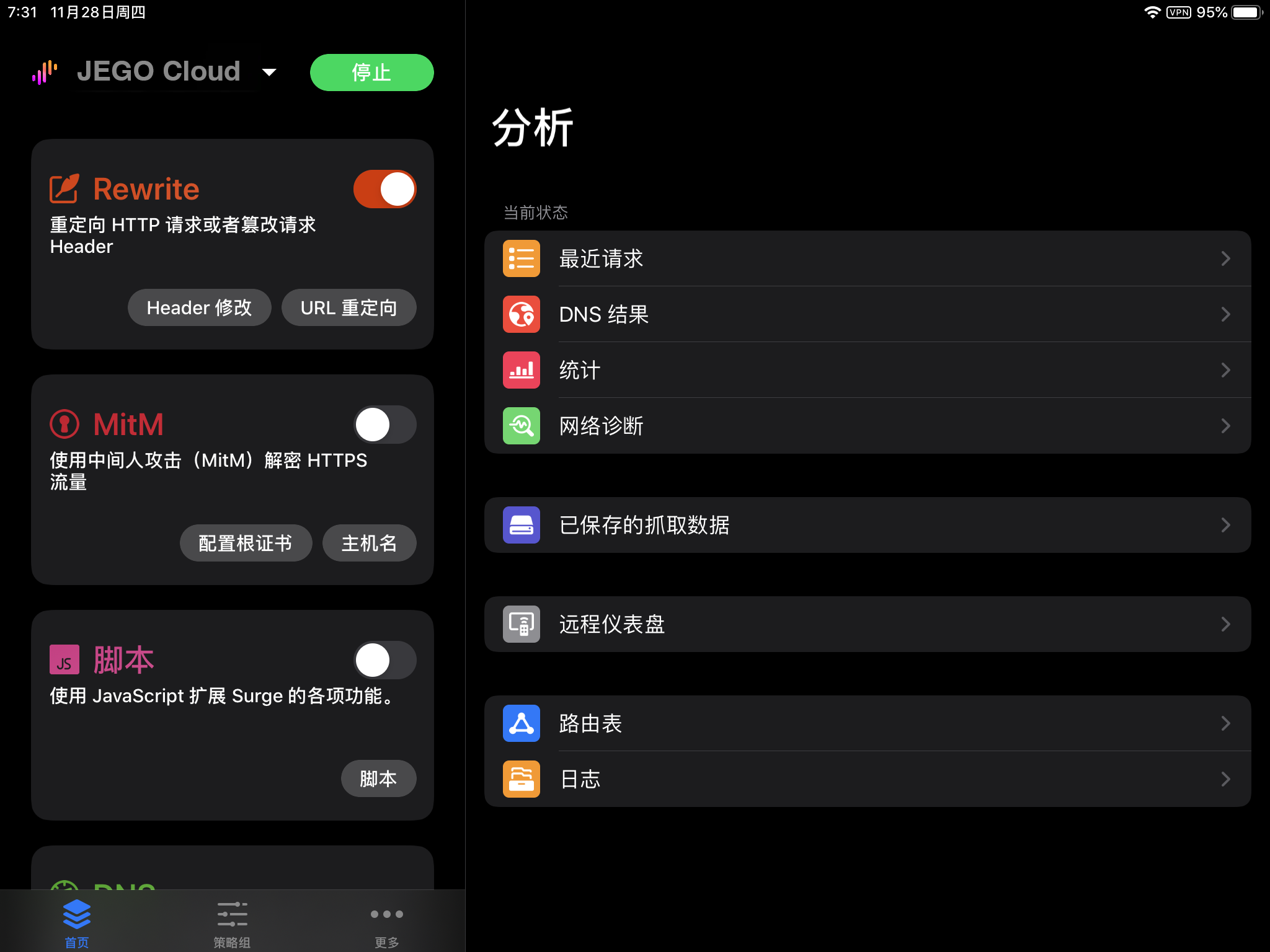
At this time, your device will connect to the first node in the node list by default.