
Surfboard
Surfboard is a network proxy tool that runs on Android systems.
 Get Surfboard
- Official source repository: https://github.com/getsurfboard/surfboard
- Official GitHub Releases: https://github.com/getsurfboard/surfboard/releases/latest
Do not install packages from APK aggregators or chat-forwarded links. Before download, confirm that the repository owner matches the official source above.
Add Subscription
In the Jego Dashboard, click on Mobile Proxy in the left navigation bar, find the Surfboard subscription address and click Copy.
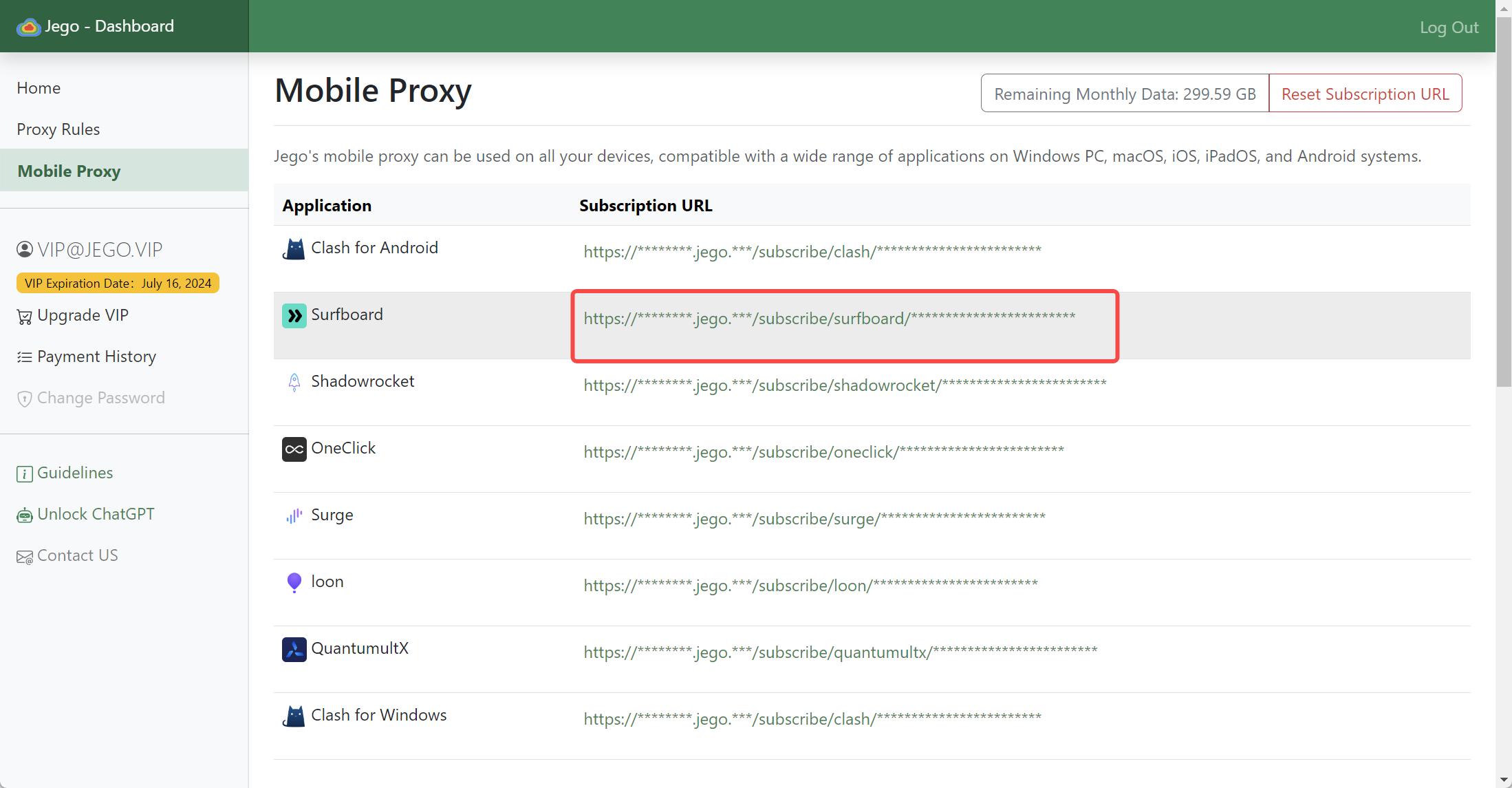
You can also get the subscription URL on your phone: open https://jego.us in the phone browser and sign in to copy it.
Surfboard Usage Tutorial
Configure Subscription
Open the Surfboard main interface, switch to the configuration tab, click the add subscription button in the bottom right, select "Import from URL", paste the Surfboard subscription URL you just copied in the popup input box. After clicking import, Surfboard will download the subscription link.
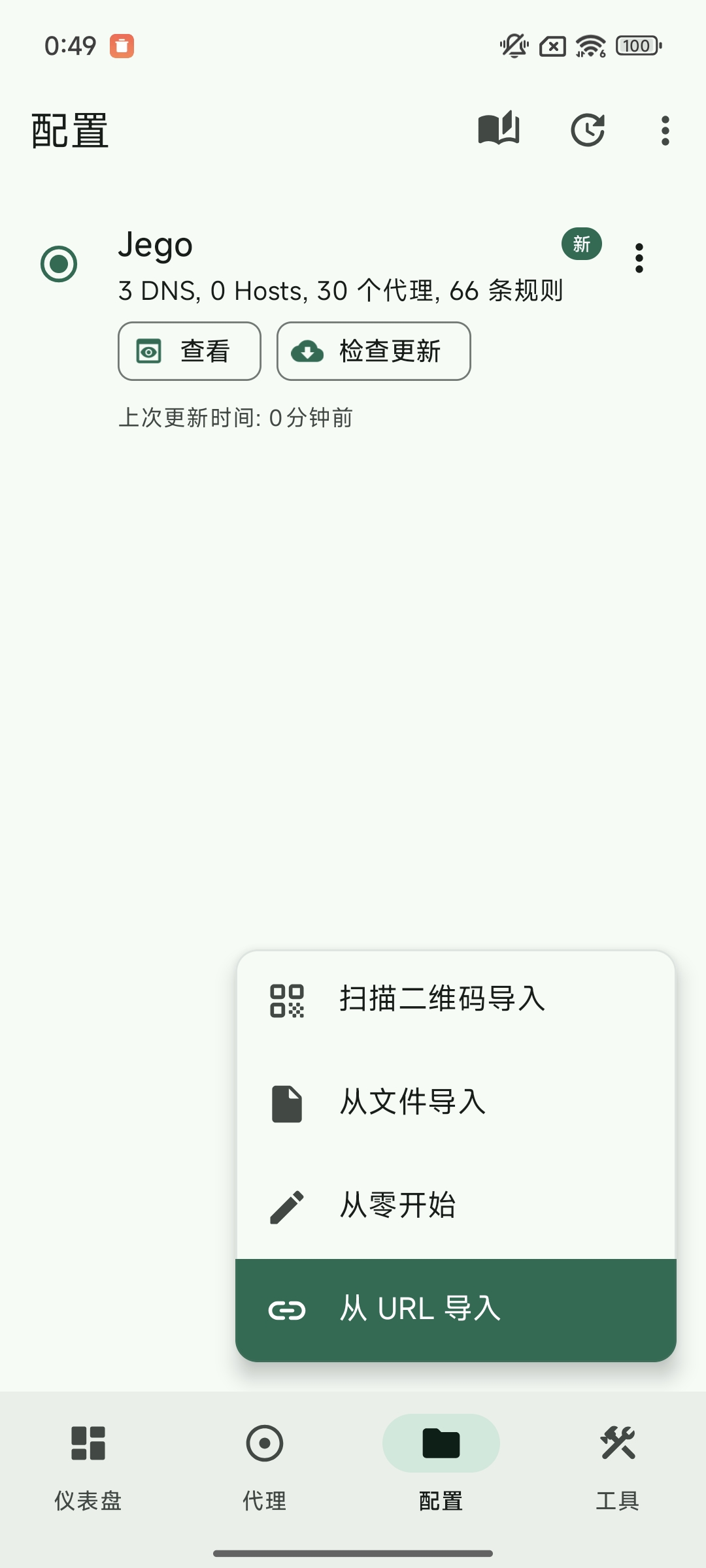
When you need to update the subscription, click the "Check for updates" option below the subscription, and Surfboard will update the subscription link.
Since Surfboard doesn't support automatic subscription updates, when your service suddenly becomes unavailable, please update the subscription first and try changing nodes.
Node Selection
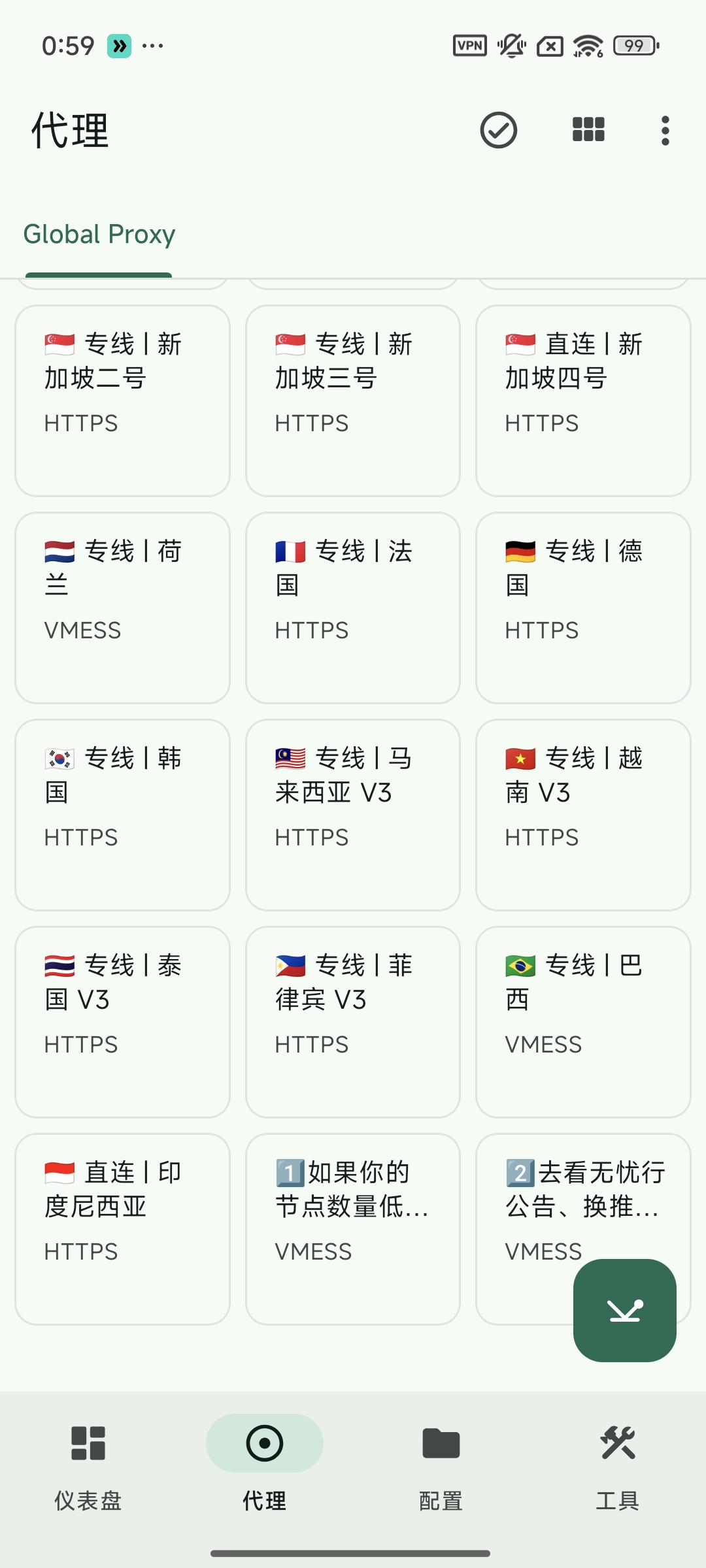
Switch to the proxy tab in Surfboard to select node servers.
Advanced Policy Groups
Power users can customize:
You need to edit the configuration file to implement that each policy group corresponds to what nodes should be used to access different types of websites. Generally, you only need to assign nodes to the "Line Selection" or "Proxies" policy groups. Find the policy group that needs to be set, click on the node you want to use to let that policy group use the selected node for connection.
Final Step
Switch to the "Dashboard" tab, click the start button in the bottom right corner to start using our service.
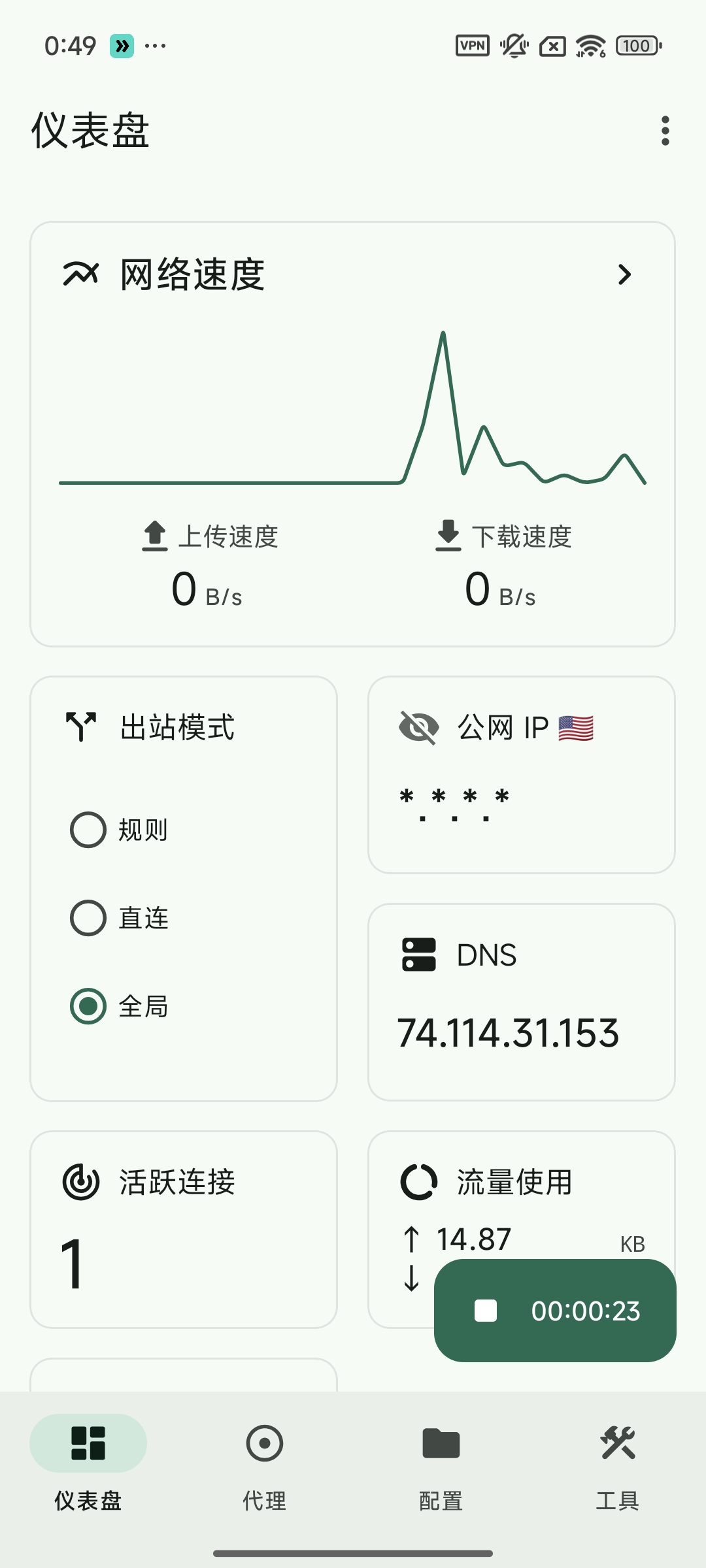
If it's the first time using it, the Android system will pop up an authorization prompt asking whether to authorize Surfboard to get VPN permissions, please select Allow.
Surfboard supports setting proxy mode to Global, Direct, and Rule-Based modes.