
GUI.for.SingBox
GUI.for.SingBox is a graphical client made by the open source community based on the sing-box kernel in Windows systems. It provides an intuitive graphical interface to manage sing-box proxy configurations, supporting subscription import, node selection and other functions.
Welcome
Welcome to the 2025 GUI.for.SingBox usage tutorial
Tip: GUI.for.SingBox takes some getting used to. Unless you specifically need the sing-box kernel, FlClash is the easier choice.
Get GUI.for.SingBox
You can download and install through Github
After opening the Github Release page, you'll see many installation packages. Download the corresponding installation package according to your Windows system version.
GUI.for.SingBox Windows Version Usage Tutorial
Copy the subscription URL
In the Jego Dashboard, click on Mobile Proxy in the left navigation bar, find the Sing-Box subscription address and click Copy.
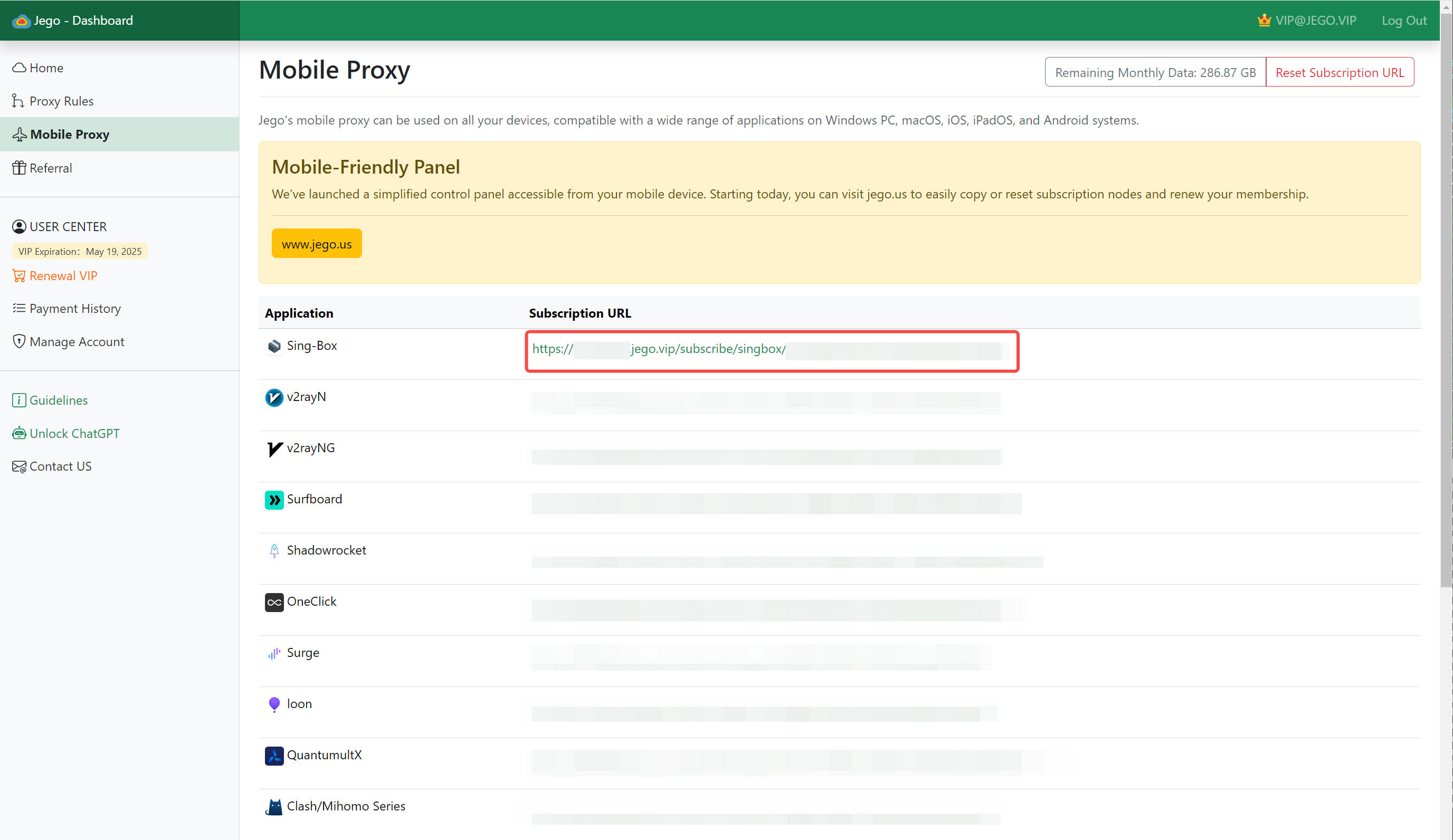
You can also get the subscription URL on your phone: open https://jego.us in the phone browser and sign in to copy it.
Basic Settings
After downloading, first click on Settings - Kernel and see if there's a kernel version under the sing-box title, as shown in the first image below. If not, you need to click the blue button Update: version on the right to install. When a new kernel version is available later, update it here as well.
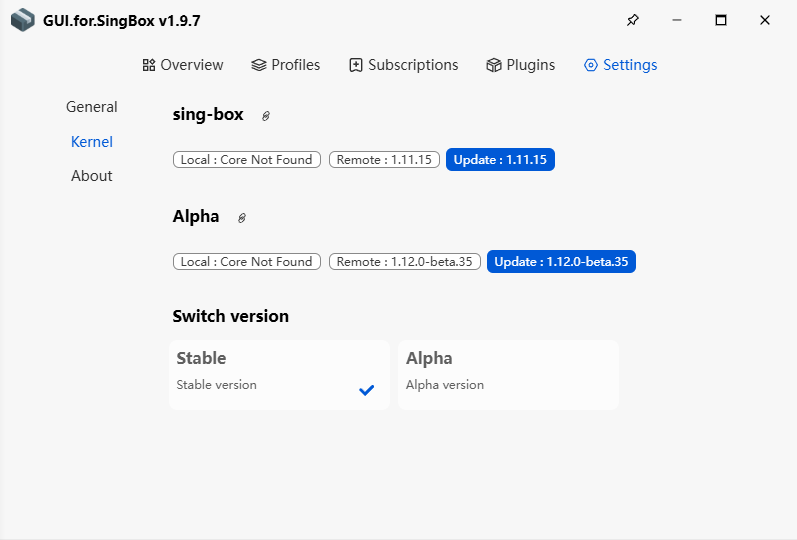
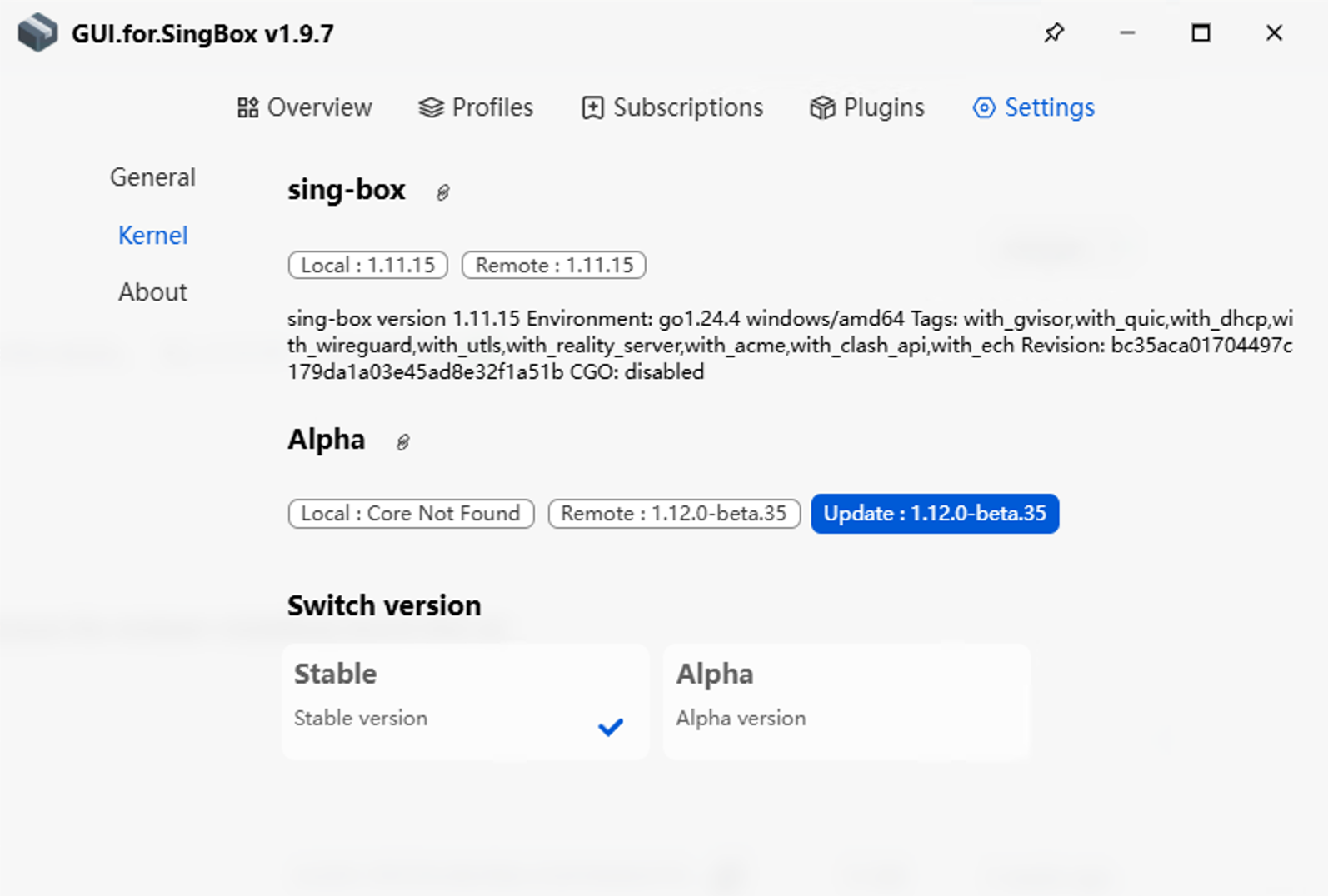
As shown in the second image above, GUI.for.SingBox is only in available state when there's a version number under Local in sing-box.
Add Subscription and Start
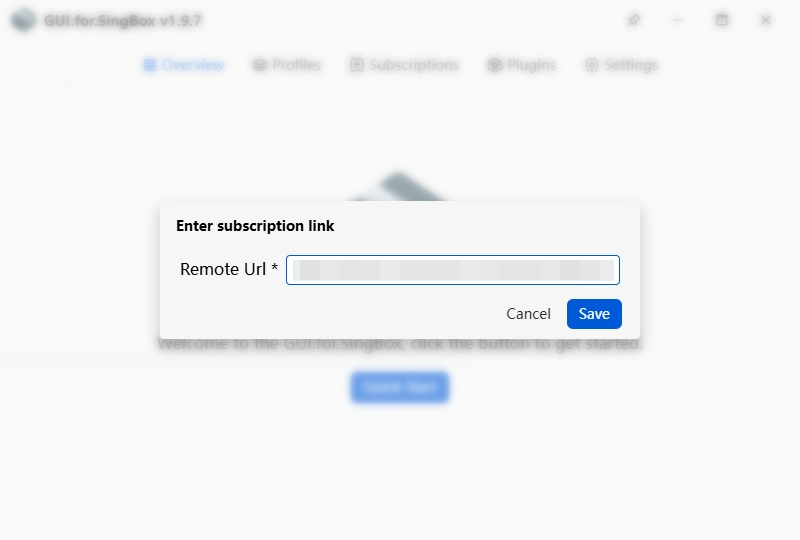
Open the GUI.for.SingBox client, go to Overview -> QuickStart
- Paste the
sing-box subscription URLcopied from Jego in Remote URL - Click
Savedirectly - A configuration file starting with
ID_will be created by default, clickClick to Startdirectly
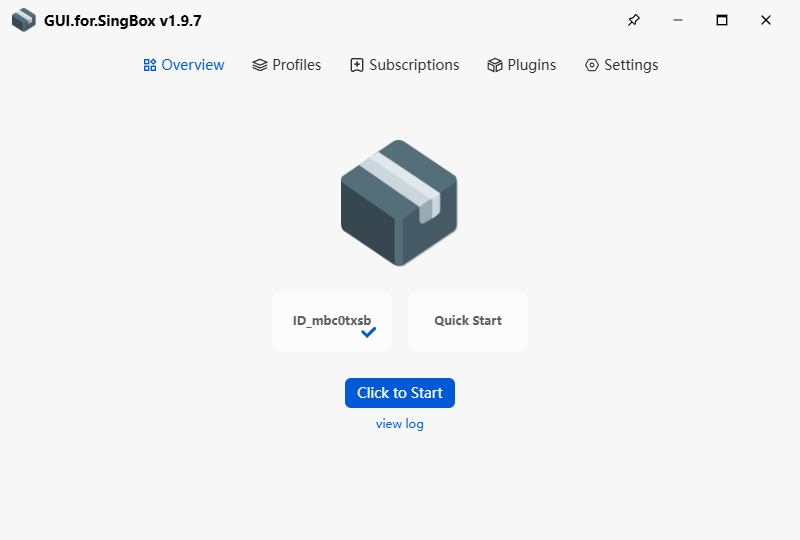
After starting, open www.google.com or another overseas site — if it loads, the connection works. To switch nodes, open the Proxies page on the left and pick an available node in the ❇️Manual Select group. If startup fails, go back to Settings - Kernel to confirm the kernel is installed, then try another node.
Also, it's recommended to go to settings and turn on "Run as administrator": For users who are not members of the Windows Administrators group, it's recommended to check this item to avoid TUN mode startup failure.